How to use Reader Friend
Reader Friend reads web novels aloud. First you tell it which part of the page to read.
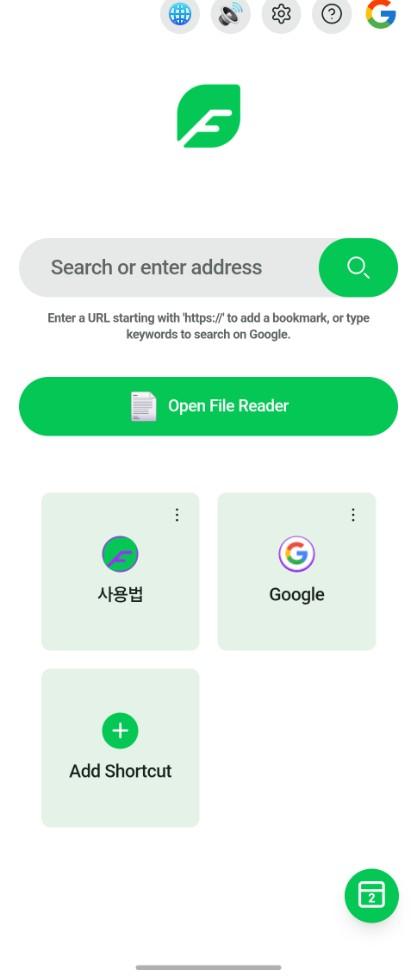
1. Open a site
Tap a bookmark on the home screen to open a site, or use the search bar to enter an address.
2. Press and hold the text
Press and hold the body text for about 1 second. Do not move your finger — moving cancels it.
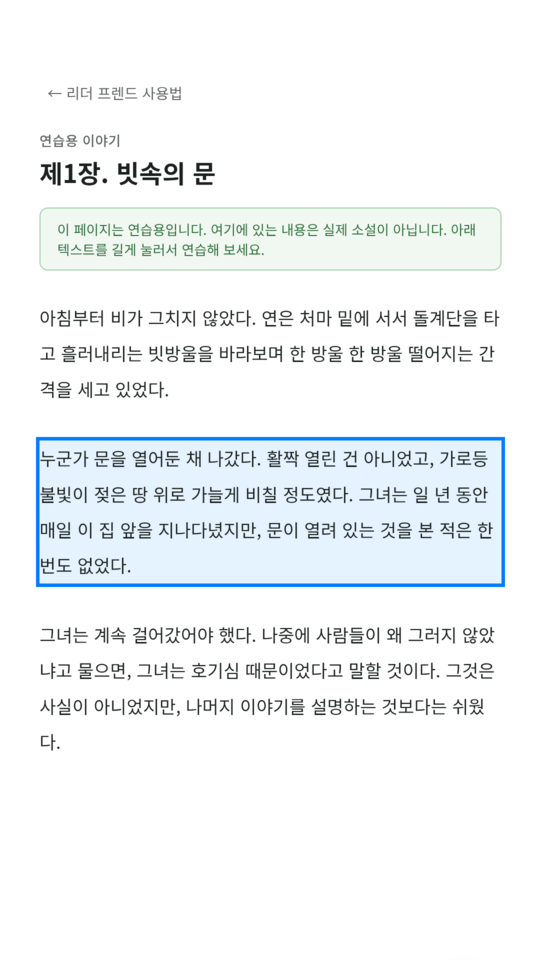
3. Choose Add Read
A blue outline appears around the selected area. Let go, then choose Add Read from the menu.
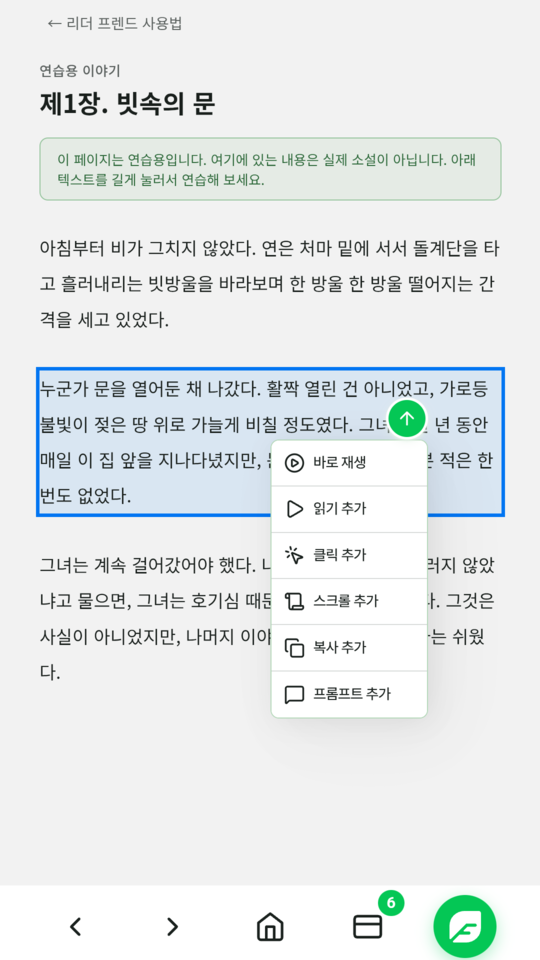
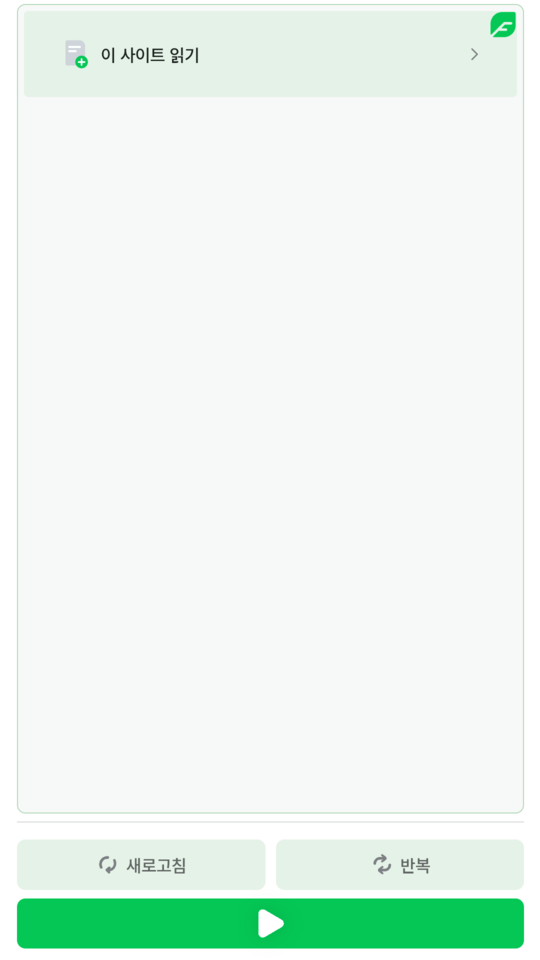
4. Press play
The selected part appears in the sidebar. Press play to start listening.
Watch it step by step
Short clips recorded on a phone. Each one shows a single step on the sample story.
Open a chapter
Open a chapter page. The hand button at the bottom opens the sidebar.
Find the main text
Tap Find main text in the sidebar. The chapter text becomes a Read process, and the Next chapter button becomes a Click process when it can be found.
Add the Next button yourself
If the Next button was not found, press and hold it for about 1 second, then choose Add Click.
Play and auto-advance
Tap Repeat and choose Infinity so the app keeps going. Then tap play. When the chapter ends, the app taps Next and keeps reading.
Try it now
Try it right here. Press and hold the paragraph below for about 1 second.
If it does not work
Nothing happening? Close the sidebar first, and keep your finger still for the full second.